

Property Management
Property portfolios, tenant relationships, and maintenance workflows in one controlled system.
Included in the full ERP. Modules are not sold individually.
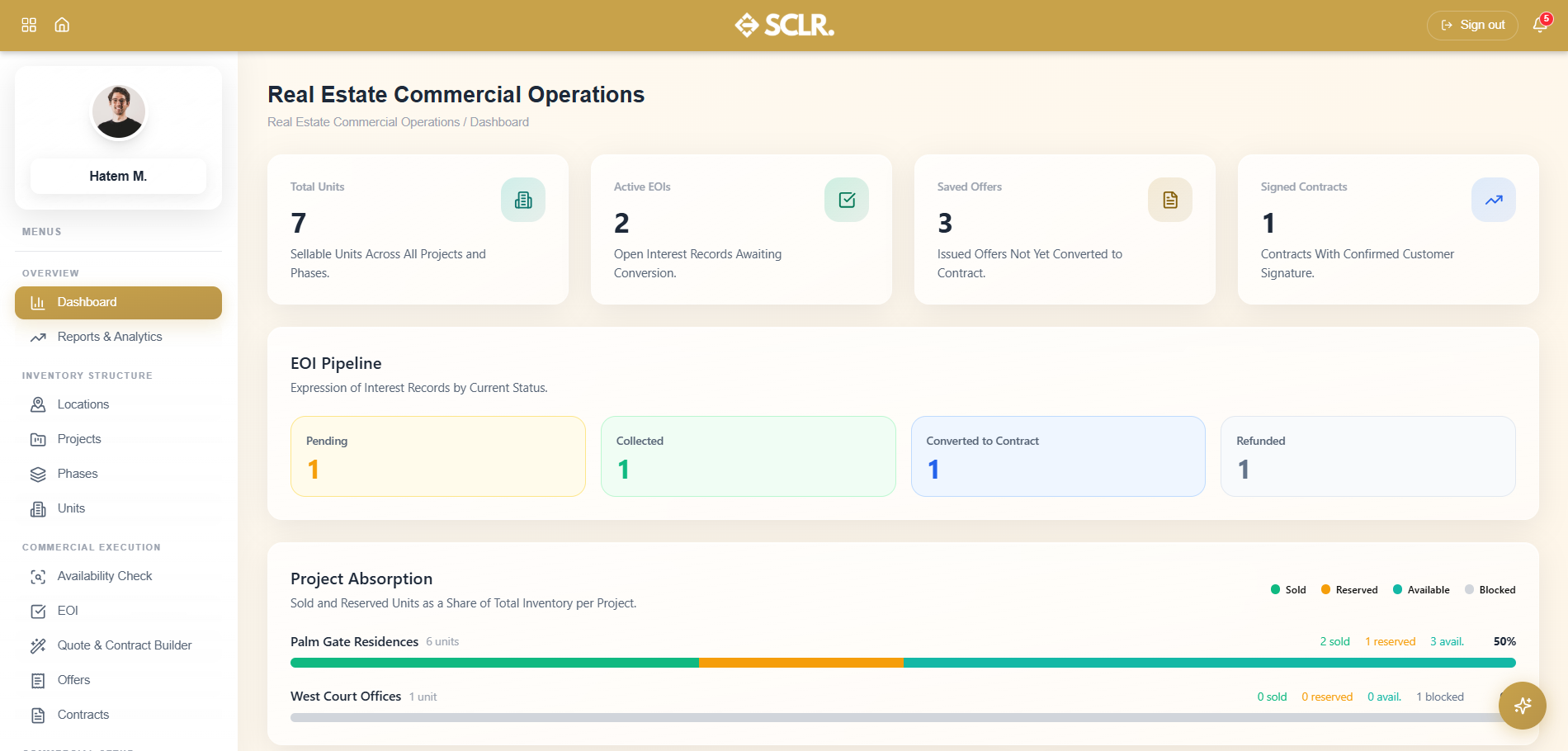
Here's how Scaler's Real Estate Commercial Operations module changes how you operate
Property tracking becomes centralized. Every building, unit, and space is documented with ownership details, valuations, and maintenance history.
Tenant management becomes structured. Leases, renewals, and communications are tracked with full history and automated reminders.
Maintenance becomes accountable. Work orders flow from request to completion with photos, costs, and contractor records.
Rent collection becomes predictable. Track payments, arrears, and deposit movements with automatic reconciliation to Finance.
What it manages
Records
- Property listings and unit details
- Tenant profiles and lease agreements
- Maintenance requests and work orders
- Rent schedules and payment history
- Property documents and certificates
Actions
- Add new properties and units
- Create and renew lease agreements
- Log maintenance requests
- Process rent payments
- Schedule property inspections
Controls
- Lease approval workflows
- Maintenance authorization limits
- Tenant portal access
- Document version control
Reporting
- Occupancy rates and vacancy tracking
- Rent collection and arrears analysis
- Maintenance cost breakdown by property
- Lease expiry and renewal forecasts
How property management connects inside SCLR
Every record you create in Scaler updates the connected records across the system.
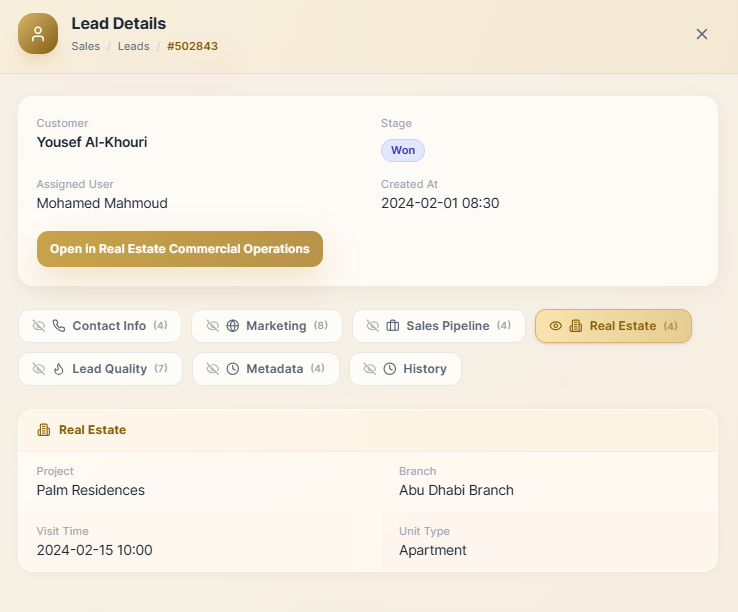
A deal closes in Sales and carries the customer, project, and sales person into RECO automatically — the commercial team picks up from Availability Check without re-entering anything.
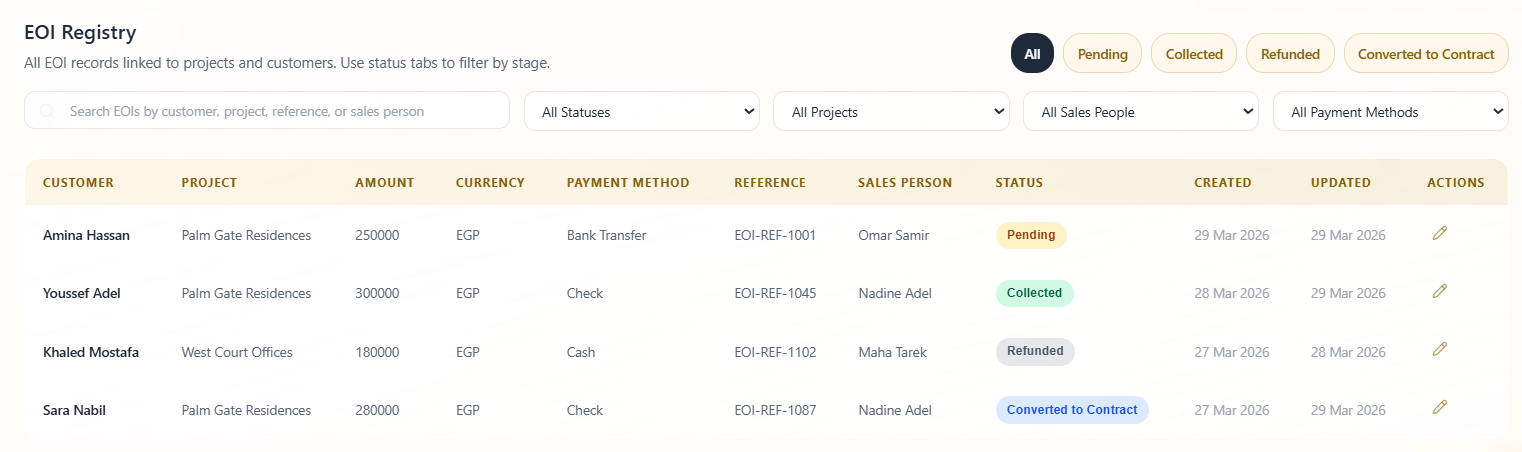
Availability Check confirms the unit is open and triggers an EOI with customer details already populated. The EOI formally records the booking payment — pending until confirmed collected.
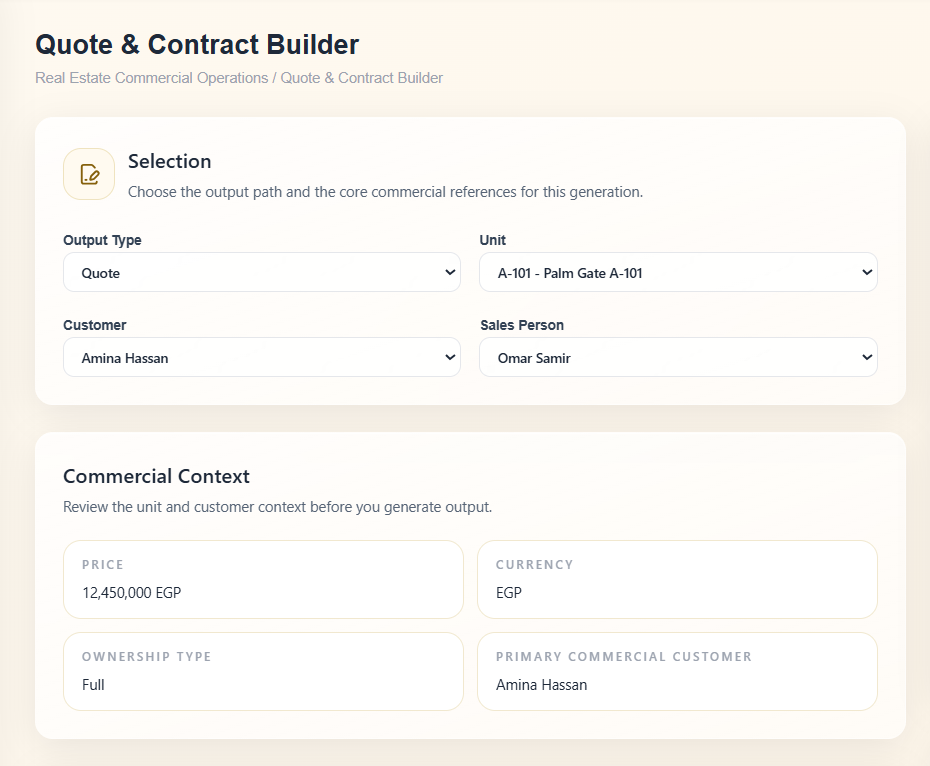
The Quote & Contract Builder generates a customer-specific quote from the unit and template — pricing and payment terms calculated automatically. Once accepted, a contract is generated with all variables substituted.
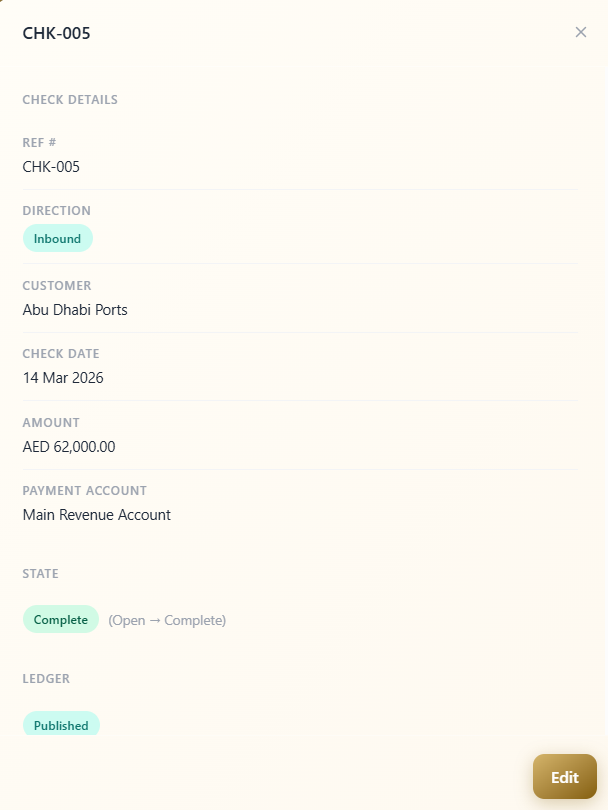
The signed contract posts to Finance immediately — receivables, credit terms, and aging buckets created without a manual entry. Checks marked paid resolve the receivable automatically.
Getting started with the Real Estate Commercial Operations module
Start by building the inventory structure — Locations define the geography your projects sit in, and each Project is then assigned to a location. Add Phases to control how units are released in stages, then populate Units within each phase. Once the inventory is in place, the commercial execution pipeline is ready to use.
Units can be created one at a time through the form, or imported in bulk using a ready-made sheet template. Project and phase setup happens before any commercial activity — these are the records everything else depends on.
Other Modules
Sales
Pipeline, lead distribution, activity tracking, and commission structures all tied to one lead record.
Order Management
Quotations, sales orders, proof of delivery, and invoicing triggered from Sales and wired to Warehouse and Finance.
Marketing
Connected Meta campaigns with lead form sync, budget pacing, and conversion data flowing back from Sales.
Real Estate Commercial Operations
Availability, EOI, quotation, contract, and payment schedule posted to Finance the moment a contract is signed.
HR
Recruitment pipeline, employee records, attendance rules, leave management, and self-service from one record.
Payroll
Salary components, structures, employee contracts, payroll runs, and automatic Finance posting no manual entries.
Finance
Accounting rules, general ledger, financial reports, and period close every module posts here.
Procurement
From purchase request through vendor quotation, PO, goods receipt, and invoice to payment one purchasing trail.
Warehouse Management
Goods receipt against POs, picking lists from sales orders, cycle counts, and batch and expiry tracking.
An AI assistant that already knows your whole business.
It lives inside the same system as your data. Ask what's happening in sales, whether a payment has come through, or how to set up a payroll rule and get a direct answer. No setup. No context to manage.
How do I...
Ask anything about the system — setup, flows, approvals, fields. Get a direct answer without hunting through documentation.
What's happening with...
Ask about any department, customer, or record and get reported to instead of navigating to find it.
Do this for me.
Coming soonAgent mode will perform tasks and run flows on your behalf within your existing permissions and approvals.
Implementation doesn't take months.
The transition is smoother than you think. Scaler is built around the terms and workflows your team already recognizes no maze to navigate, no months of getting used to a complicated, foreign system.