
Warehouse Management
Track inventory movement with location-level precision and accountability.
Included in the full ERP. Modules are not sold individually.
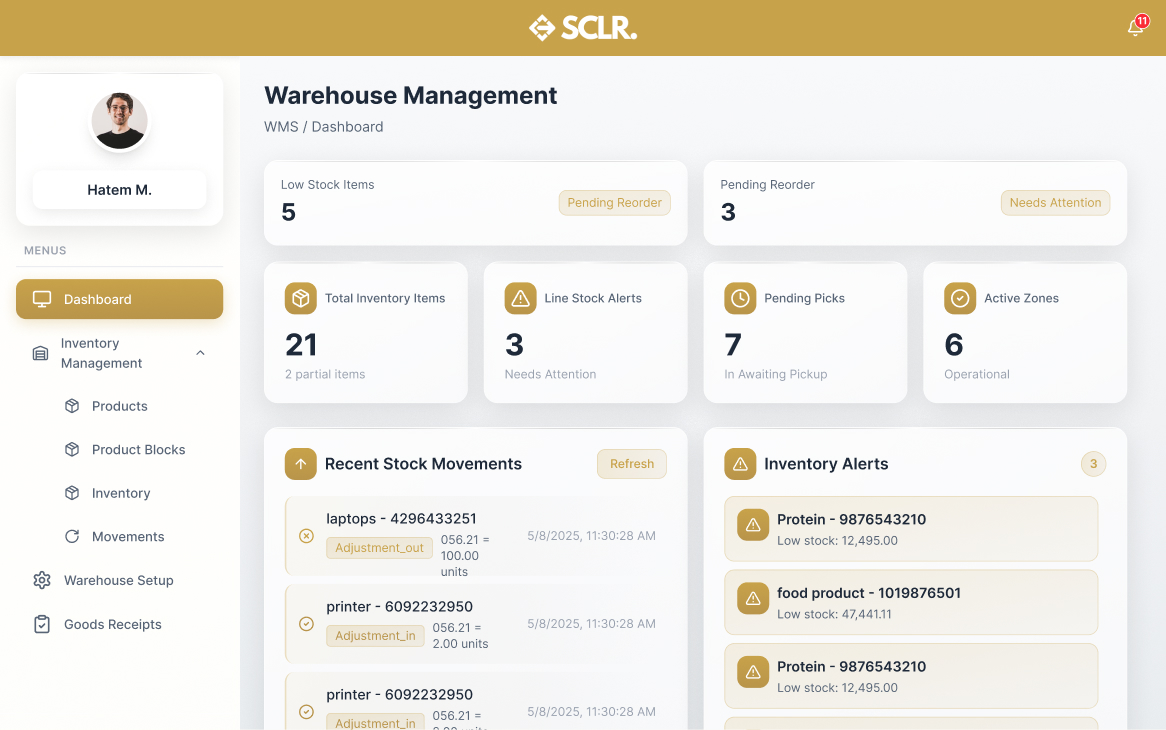
What the SCLR warehouse management module changes
Receiving becomes traceable. Every batch, expiry date, and location is captured at the point of entry.
Stock adjustments stop being loose notes. Cycle counts and transfers create audit-ready records.
Location control becomes granular. Track down to aisle, shelf, and position for high-value or regulated items.
Movement history becomes visible. Every transfer, pick, and receipt stays linked to the source transaction.
What it manages
Records
Documents and entities
Records
- • Goods receipts
- • Stock transfers
- • Cycle counts
- • Batch and expiry tracking
- • Location assignments
Actions
Core operations
Actions
- • Receive against PO
- • Transfer between locations
- • Conduct cycle counts
- • Adjust inventory
- • Pick for fulfillment
Controls
Rules and permissions
Controls
- • Location rules
- • Batch tracking
- • Expiry alerts
- • Min/max levels
Reporting
Visibility and insights
Reporting
- • Stock on hand
- • Movement history
- • Expiring items
- • Cycle count variance
How warehouse management connects inside SCLR
Every record you create in Scaler updates the connected records across the system.
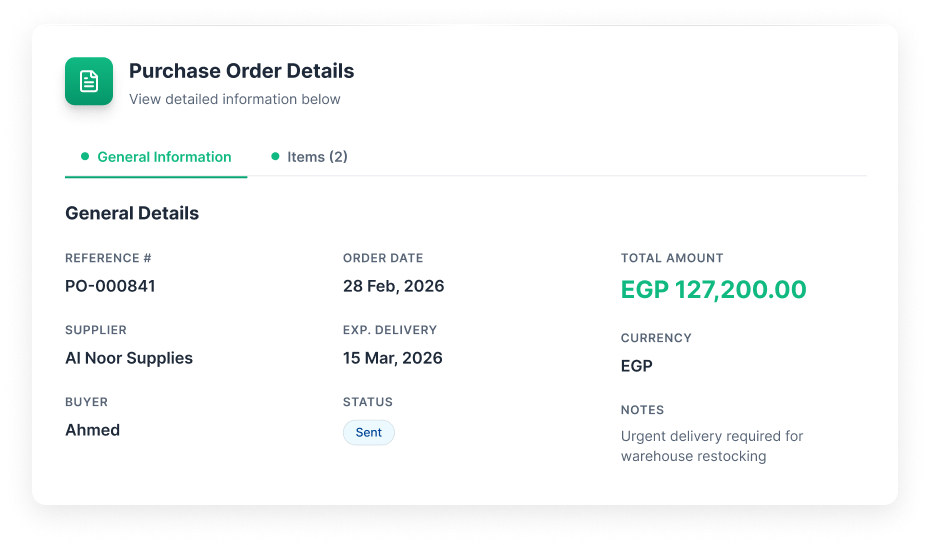
Purchase order is approved and sent to the supplier.
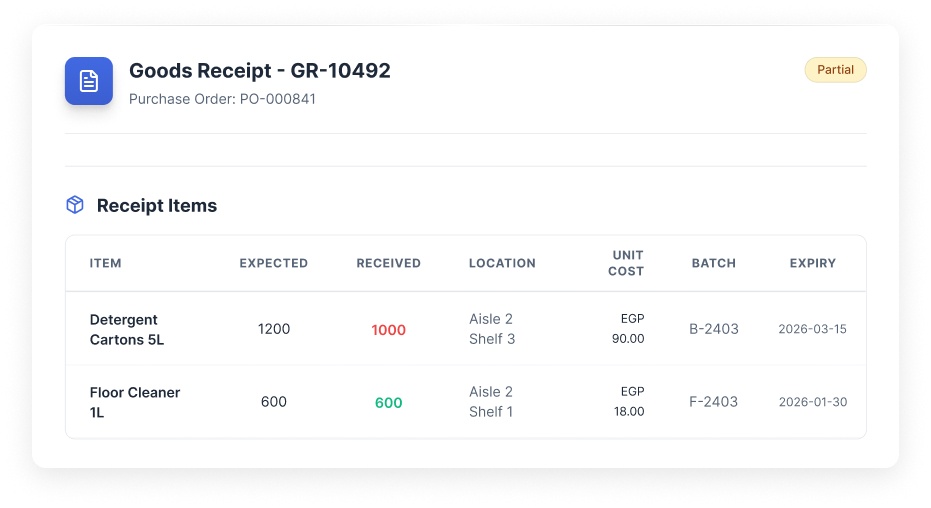
Receive against the PO. Quantities, locations, batch, and expiry are captured in one record.
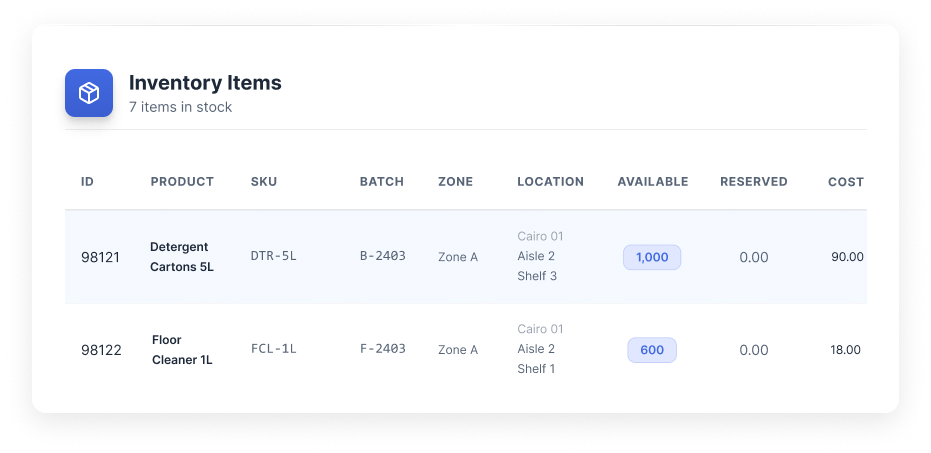
Stock updates from the same receipt record. On hand and item history stay consistent.
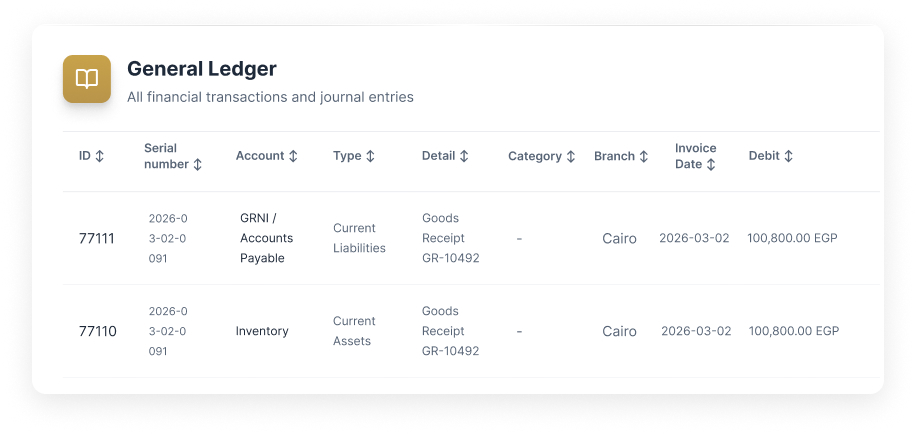
Accounting entries are posted automatically. Inventory and accounts payable stay in sync without manual journal entries.
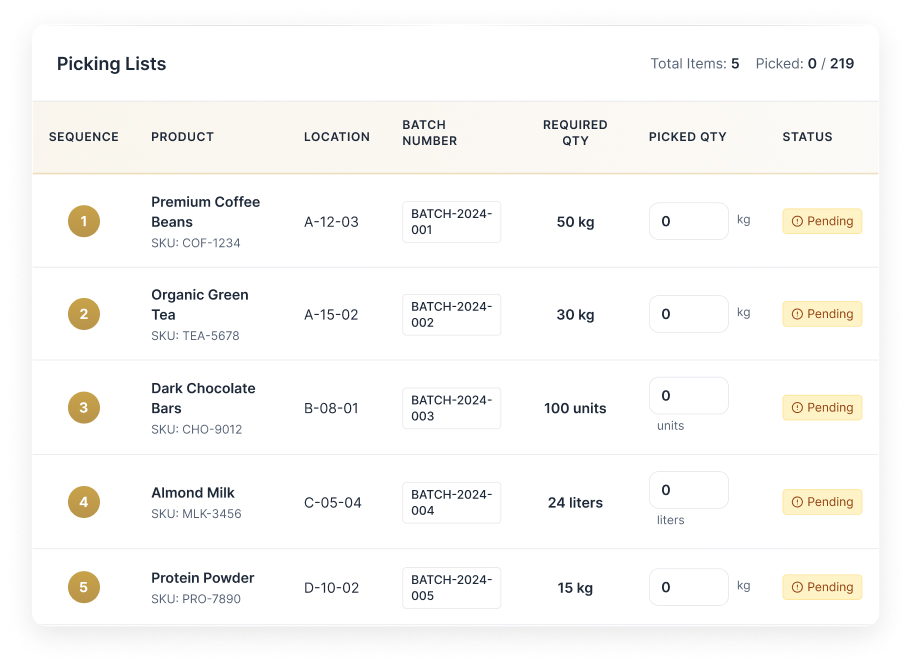
Picking lists are generated from sales orders. Warehouse staff follow batch and location instructions for accurate fulfillment.
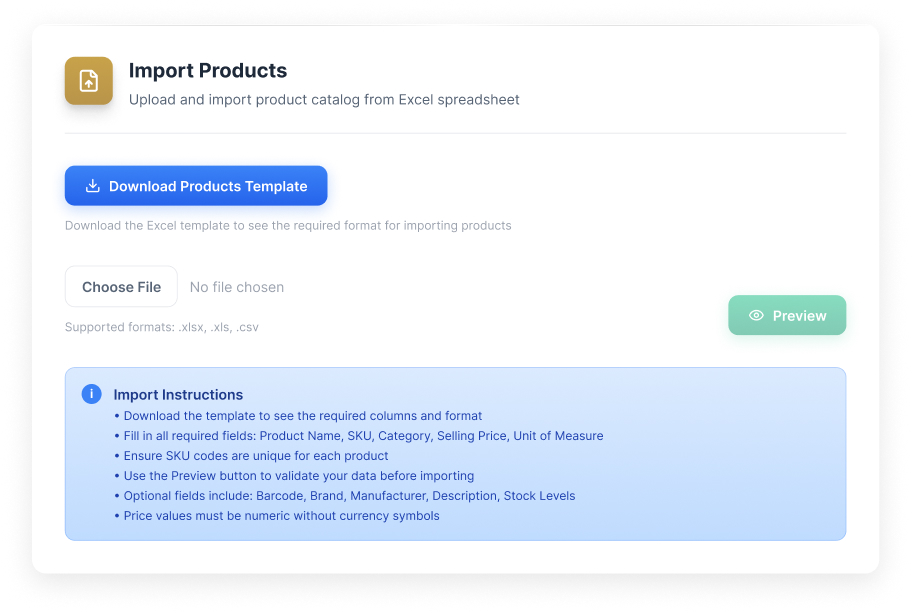
Import your data your way
Flexible import options that make it easy to switch from your current system.
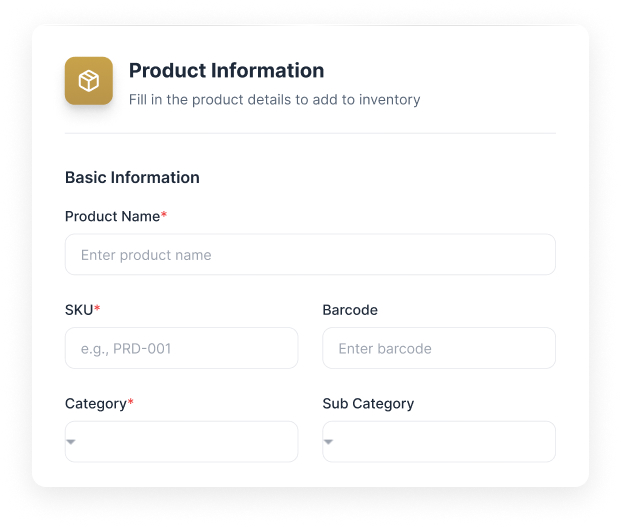
Receive with precision
Capture batch, expiry, and location at receiving. No separate spreadsheet needed.
Track stock movement
Every transfer and adjustment creates a timestamped, user-attributed record.
Data needed for warehouse management
Set up the basics so receiving, transfers, and inventory stay traceable and accurate.
Warehouses and locations
Warehouses and locations
- • Warehouse name
- • Zones (receiving, storage, picking, shipping)
- • Locations (aisle, shelf, level, position)
- • Location types (bulk, pallet, bin)
Items you stock
Items you stock
- • Item name and SKU
- • Barcode
- • Unit of measure
- • Batch tracking required (yes/no)
- • Expiry tracking required (yes/no)
Users and permissions
Users and permissions
- • Warehouse staff
- • Role assignments (receiver, picker, counter)
- • Location access rules
Bringing existing work
into Scaler?
Opening stock position
- • Item plus warehouse plus location
- • Quantity on hand
- • Batch number and expiry date if tracked
- • Last counted date
Open receiving work
- • Purchase orders pending receipt
- • Partial receipts in progress
What happens next
- • Receipts from Procurement flow into stock updates automatically
- • Stock movements post into Finance based on configuration
- • Inventory levels feed into Sales for fulfillment
- • Movement history stays traceable without exports
Other Modules
Procurement
Vendors, RFQs, quotations, POs, supplier invoices, and payments.
Sales
Pipeline, tasks, SLAs, and team performance tied to one lead record.
Marketing
Lead capture with channel tracking and conversion reporting from lead to outcome.
HR
Employee records, reporting lines, attendance, leaves, and approvals.
Payroll
Contracts, pay structures, payruns, payslips, and finance posting.
Finance
Draft-to-published control, statements, and audit-ready reporting.
Property Management
Projects, units, contracts, and payment schedules tied to finance.
AI built in, not bolted on
Every module comes with AI assistance that understands your workflow and helps you move faster.
AI credits are purchased separately. All plans include basic AI functionality.
Ask and find
Find any record or transaction fast. Filter by status, date, and related records.
Explain and summarize
Summarize activity across records. Spot patterns, bottlenecks, and exceptions.
Prepare actions
Draft updates and prepare workflows. Push the next step forward with approval.
Choose the next step.
Talk to the team
Use this if the setup involves complex structure, migration, or integrations.
Book a call