
Procurement
Control purchasing from request to purchase order to receiving.
Included in the full ERP. Modules are not sold individually.
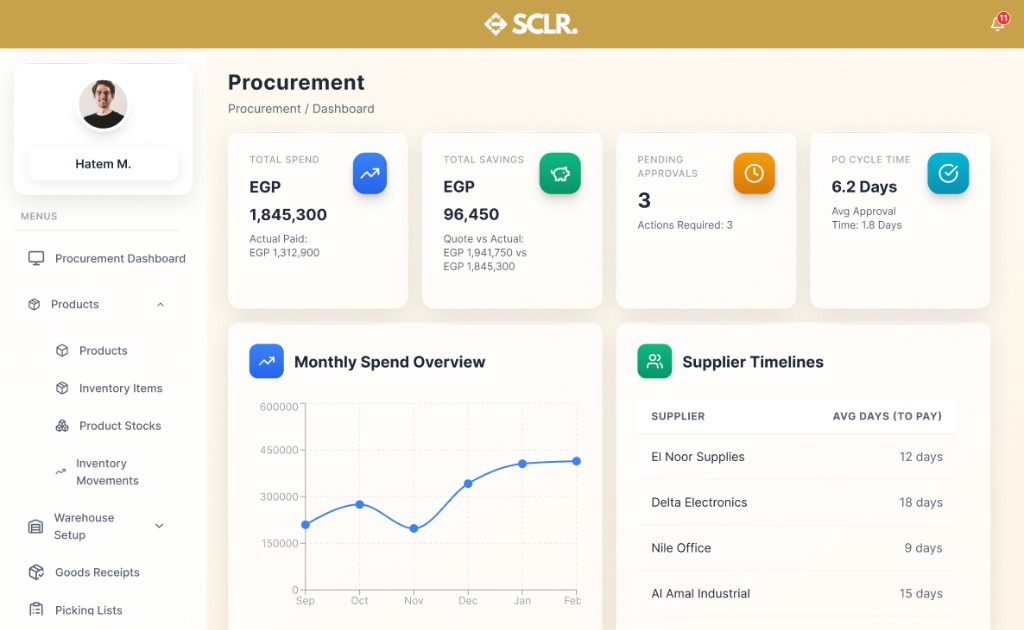
What the SCLR procurement module changes
Purchase requests stop living in chats and calls. They become tracked records with owners.
Approvals become visible. No guessing who is blocking the purchase.
Receiving and cost impact become connected. Stock and finance reflect the same event.
Vendor history becomes usable. Price, lead time, and performance stop being tribal knowledge.
What it manages
Records
Documents and entities
Records
- • Purchase Requests
- • Purchase Orders
- • Quotations
- • Suppliers
- • Receipts
Actions
Core operations
Actions
- • Request
- • Approve
- • Issue PO
- • Receive goods
- • Return goods
Controls
Rules and permissions
Controls
- • Approval steps
- • Thresholds
- • Vendor rules
- • Required fields
Reporting
Visibility and insights
Reporting
- • Spend by vendor
- • Cycle time
- • Pending approvals
- • Open POs
How procurement connects inside SCLR
Every record you create in Scaler updates the connected records across the system.
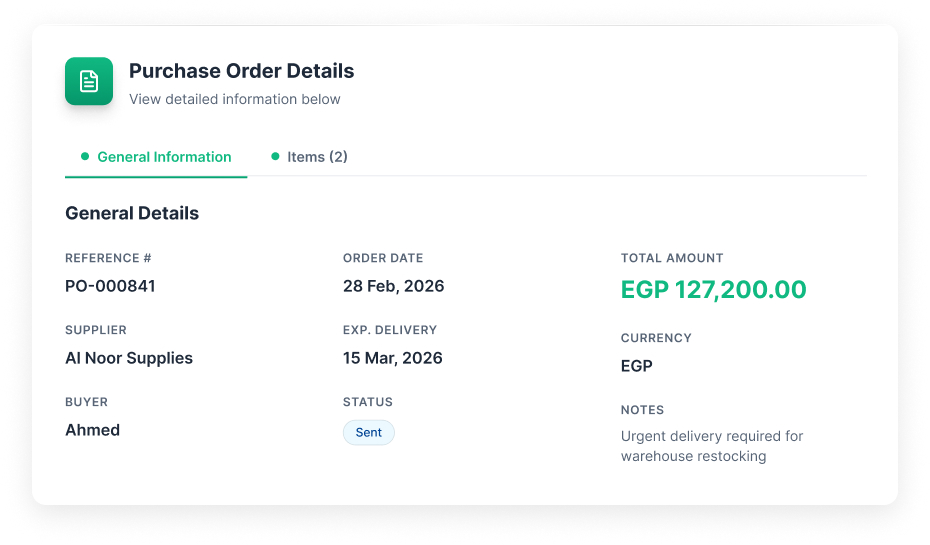
Issue the PO. This record becomes the reference for receiving, inventory, and cost impact.
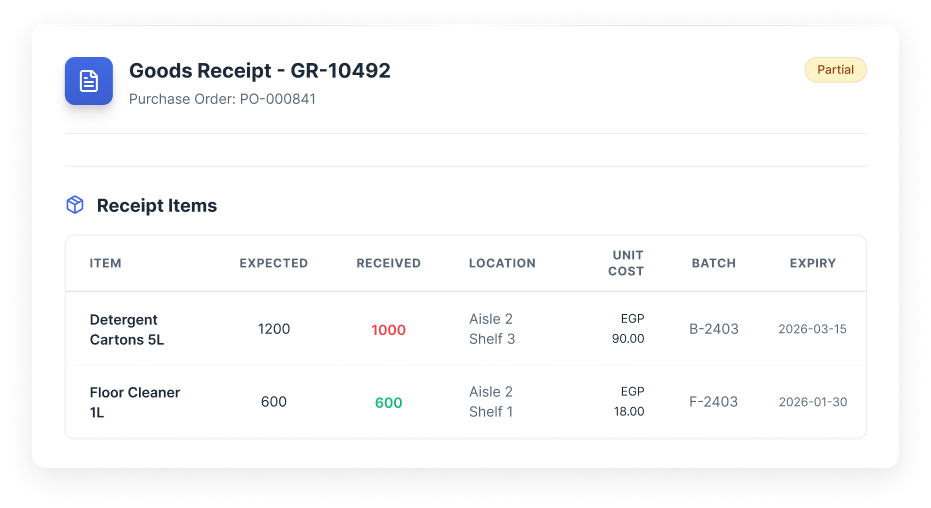
Receive against the PO. Quantities, locations, batch, and expiry are captured in one record.
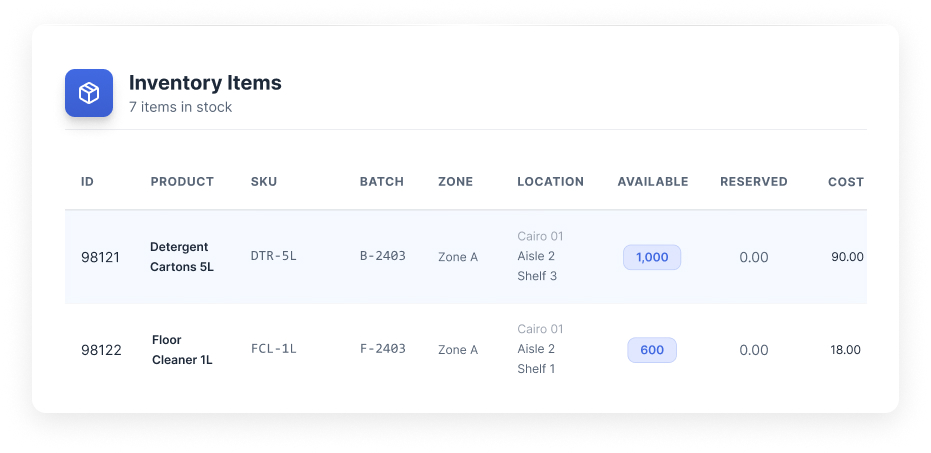
Stock updates from the same receipt record. On hand and item history stay consistent.
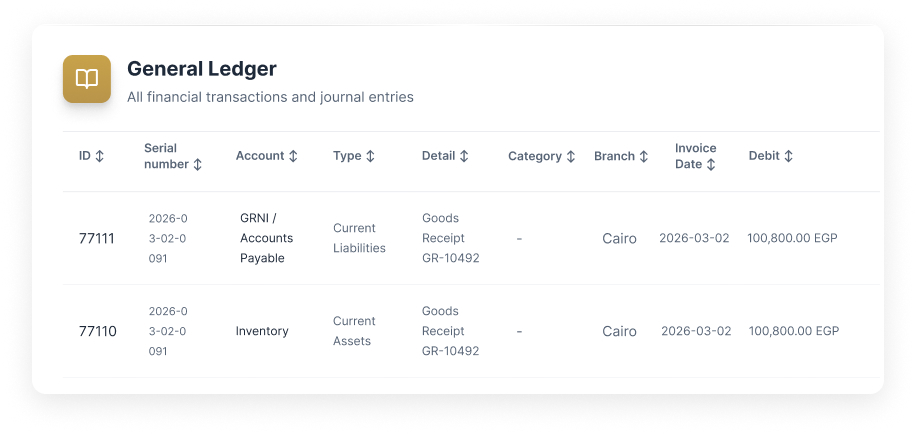
The receipt posts its financial impact. Ledger lines trace back to the same PO and receipt.
Import your data your way
Flexible import options that make it easy to switch from your current system.
Add records as you go
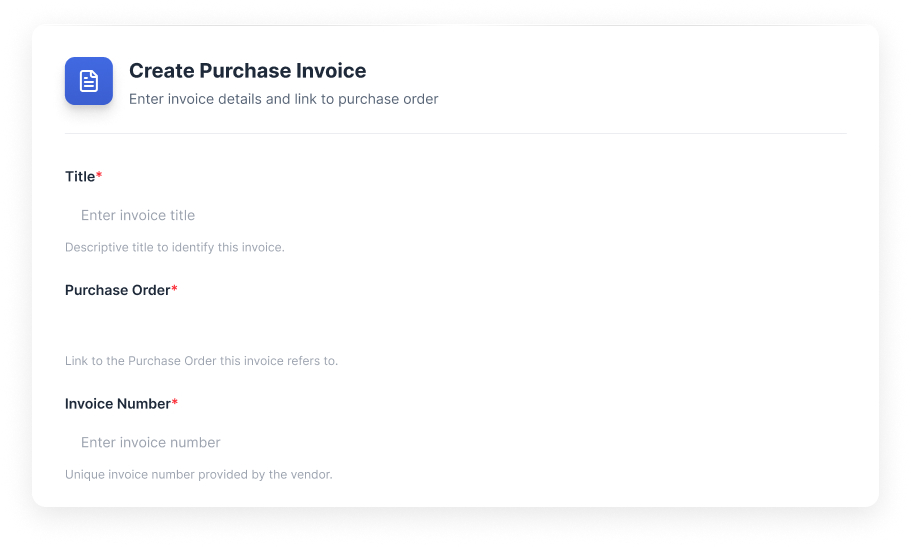
Simple forms. Clean records from day one.
Import in bulk
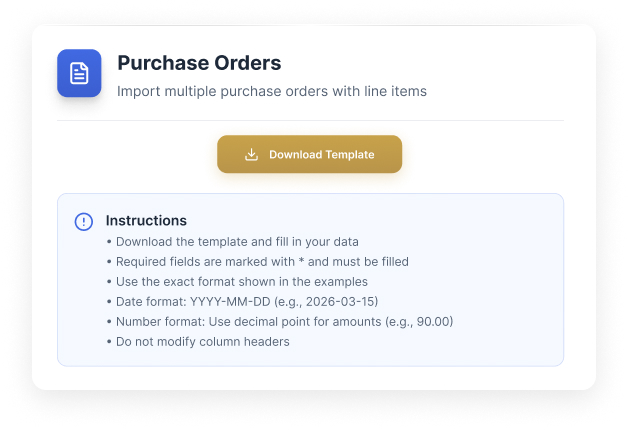
Ready-made sheet structures. Fast setup without messy fields.
Data needed for procurement
Set up the basics so purchase orders trace cleanly through receiving, inventory, and finance.
Suppliers
Suppliers
- • Supplier name
- • Contacts (name, phone, email)
- • Addresses
- • Payment terms
- • Tax or VAT info
- • Preferred currency
Items you buy
Items you buy
- • Item name
- • SKU
- • Barcode
- • Unit of measure
- • Category or grouping
Warehouses and locations
Warehouses and locations
- • Warehouses
- • Zones
- • Locations (aisle, shelf, level, position)
- • Default receiving locations
Posting setup (optional)
Posting setup (optional)
- • Expense accounts
- • Inventory and payables mapping
- • Taxes setup (optional)
Bringing existing work
into Scaler?
Open procurement work
- • Open purchase orders (including partial receipts)
- • Supplier invoices linked to those POs
- • Supplier payments if continuity is needed
Opening stock position
- • Item plus warehouse plus location
- • Quantity on hand
- • Batch and expiry date if relevant
Supplier quotation backlog
- • Active quotations
- • Validity dates
What happens next
- • Purchase orders flow into Goods Receipts in WMS
- • Receipts update Inventory Items immediately
- • Stock movements post into Finance based on configuration
- • The same records feed reporting without exports
Other Modules
Sales
Pipeline, tasks, SLAs, and team performance tied to one lead record.
Marketing
Lead capture with channel tracking and conversion reporting from lead to outcome.
HR
Employee records, reporting lines, attendance, leaves, and approvals.
Payroll
Contracts, pay structures, payruns, payslips, and finance posting.
Finance
Draft-to-published control, statements, and audit-ready reporting.
Property Management
Projects, units, contracts, and payment schedules tied to finance.
Warehouse Management
Receiving, picking, batch/expiry tracking, and location-level control.
AI built in, not bolted on
Every module comes with AI assistance that understands your workflow and helps you move faster.
AI credits are purchased separately. All plans include basic AI functionality.
Ask and find
Find any record or transaction fast. Filter by status, date, and related records.
Explain and summarize
Summarize activity across records. Spot patterns, bottlenecks, and exceptions.
Prepare actions
Draft updates and prepare workflows. Push the next step forward with approval.
Choose the next step.
Talk to the team
Use this if the setup involves complex structure, migration, or integrations.
Book a call