
Everything inside SCLR connected as one system.

All modules are included in the ERP.
Modules are not sold individually.
A full ERP suite built on shared records
Procurement
Vendors, RFQs, quotations, POs, supplier invoices, and payments.
Sales
Pipeline, tasks, SLAs, and team performance tied to one lead record.
Marketing
Lead capture with channel tracking and conversion reporting from lead to outcome.
HR
Employee records, reporting lines, attendance, leaves, and approvals.
Payroll
Contracts, pay structures, payruns, payslips, and finance posting.
Finance
Draft-to-published control, statements, and audit-ready reporting.
Property Management
Projects, units, contracts, and payment schedules tied to finance.
Warehouse Management
Receiving, picking, batch/expiry tracking, and location-level control.
How modules connect
Records aren't copied. They are shared. One event in one module creates visibility in todos as it moves through the chain.
Commercial to finance visibility
1
Sales record
2
Procurement request
3
Purchase order
4
Receiving in warehouse
5
Invoice
6
Finance reporting
1
Sales record
2
Procurement request
3
Purchase order
4
Receiving in warehouse
5
Invoice
6
Finance reporting
Procurement to inventory truth
1
Request
2
Approval
3
Purchase order
4
Receiving
5
Stock movement
6
Cost impact in Finance
1
Request
2
Approval
3
Purchase order
4
Receiving
5
Stock movement
6
Cost impact in Finance
Property operations coherence
1
Unit record
2
Contract or billing
3
Maintenance request
4
Procurement if needed
5
Execution update
6
Finance visibility
1
Unit record
2
Contract or billing
3
Maintenance request
4
Procurement if needed
5
Execution update
6
Finance visibility
End to end record trail
Every action you log in Scaler updates the connected records across the system.
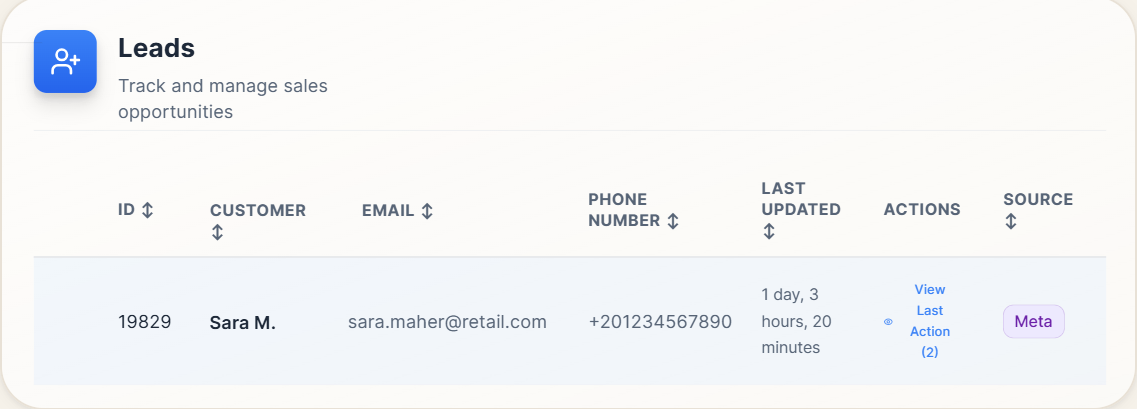
Capture demand at the source. Every submission becomes a tracked record.
Turn submissions into a pipeline record. The lead stays connected to the customer, activity, and next steps.
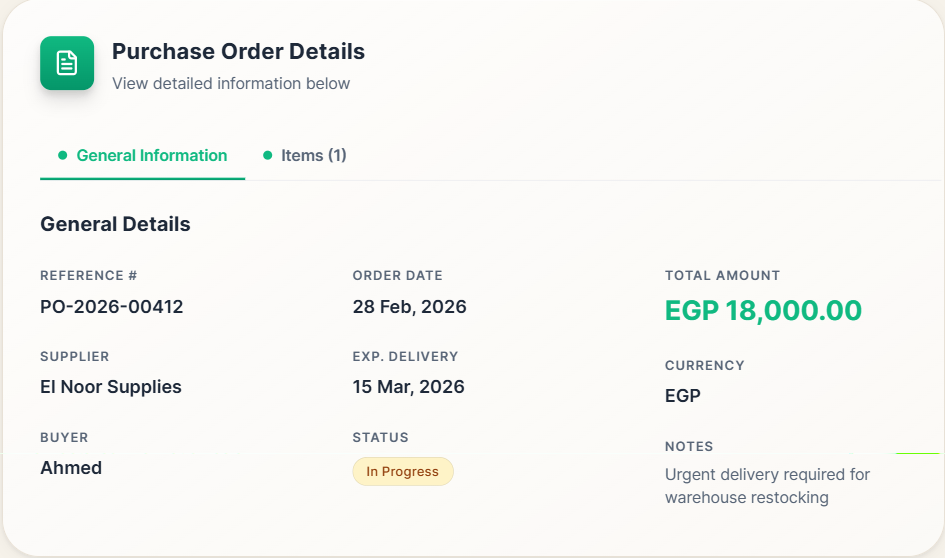
Create the purchase order record. It becomes the reference for downstream steps and financial impact.
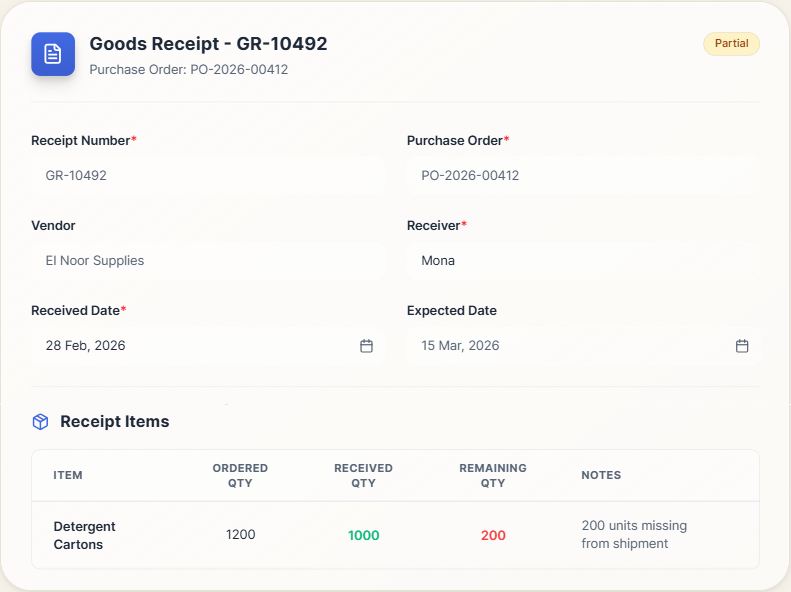
Receive items against the purchase order. Quantities and costs are captured at the moment of receiving.
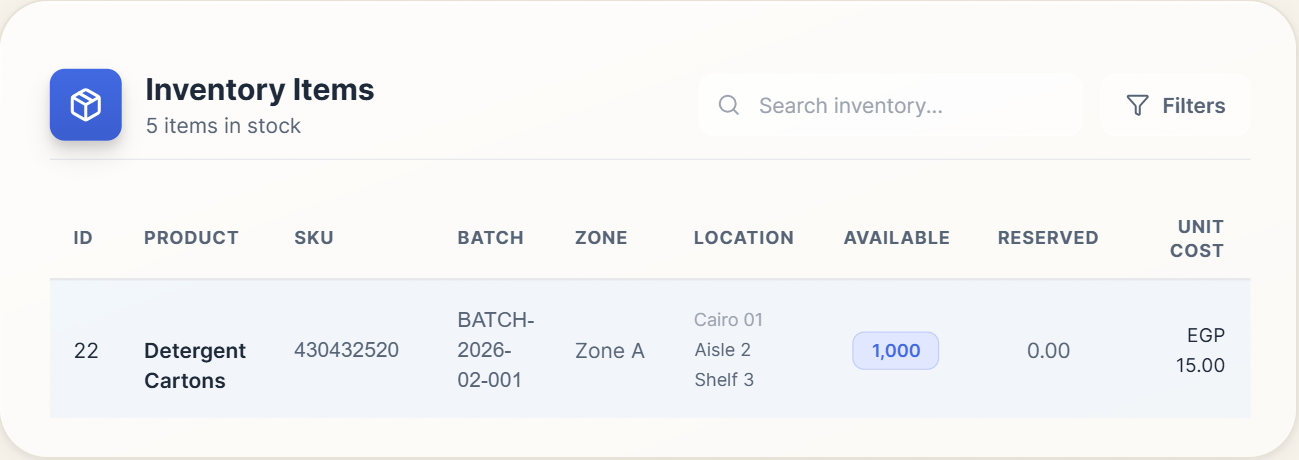
Stock updates from the same receipt record. On-hand and item history stay consistent.
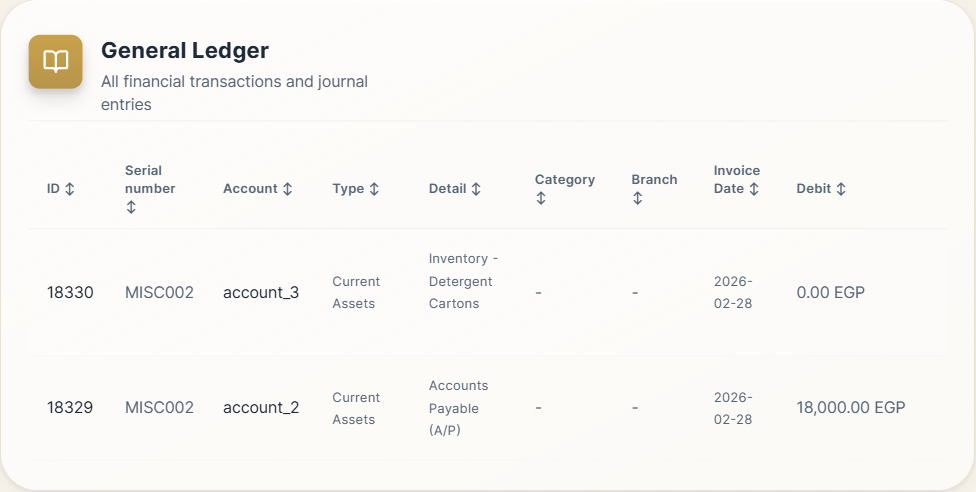
The receipt posts its impact without manual re-entry. Ledger lines reference the same trail.
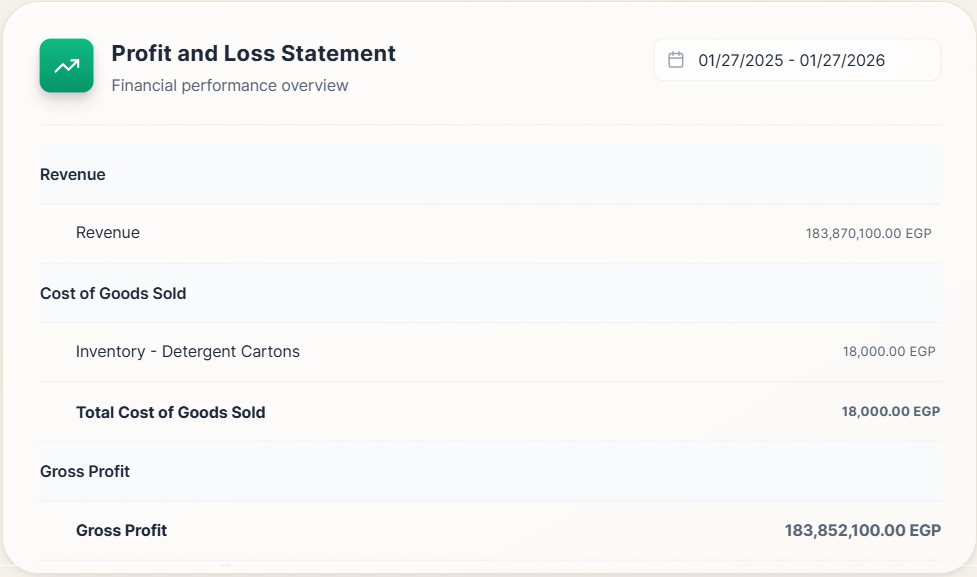
Reports pull from the same ledger records. You see results without exporting or reconciling files.
Every action in Scaler leaves a trail down the line.
Module setup rules
How each module plugs into the system. Data in, controls on, trail preserved.
Scope and structure
Define what this module owns. Records, statuses, and who can touch what.
Scopes vary by industry and setup.
Data readiness and migration
Import the baseline data so the module can run.
Each module has Excel templates. Bulk import or add one by one.
Templates included
Leads, Items, Vendors, Invoices, Journals, Projects
Configuration and controls
Set approvals, roles, and checkpoints for every action.
Approvals are configured by the admin for each step.
Go live, stabilization, support
Run live. Monitor exceptions. Tighten rules as the team settles.
The record trail stays intact across modules.
AI on top of your modules
Reads the connected records. Acts within roles and approvals.
Admin-enabled per user. Uses the same permissions and approval flows.